How to import my Exceefy transactions or active
Do you want to import your transactions or assets from Exceefy? Follow this simple guide to download the file, fill it in and import it into your wallet.
How to import my transactions or assets from Exceefy?
Connect to Exceefy
Go to Waller
Descend in the Transactions list
On the right, click the Import button

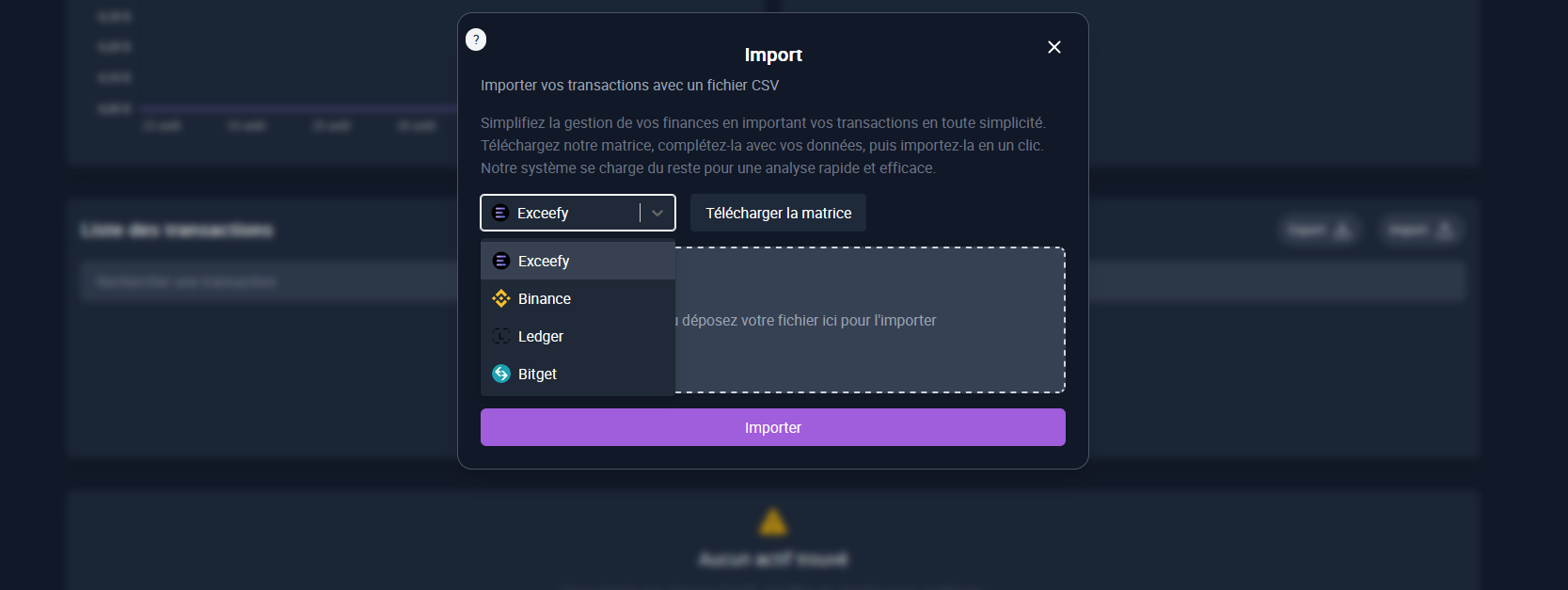
A modal opens → Select Exceefy and click Matrix
The file is downloaded, fill it with your transactions or assets.Otherwise here is a link to the file Download.
If the file is the one you downloaded, make sure to remove the second line (it is only an example).
⚠️ Please note: it is mandatory to provide the status (COMPLETED / ORDER), the transaction type (BUY / SELL), and to respect the date format.
Return to the modal and import the filled file
💡Tip: To facilitate import, only include your current assets and not all the history of transactions. Otherwise, use the IA to format your file according to the required model.